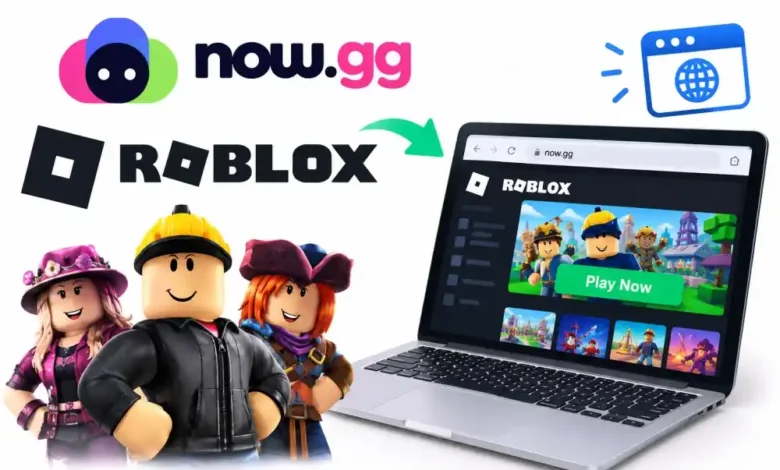
You can play Roblox directly in your web browser without downloading any large files or installers by using now.now.gg roblox. This cloud gaming platform hosts the actual game application on remote servers and streams a live, interactive video feed directly to your screen. Because the processing happens elsewhere, you can jump into heavy games like Blox Fruits or Adopt Me! on devices that normally cannot handle them.
Here is the thing about modern gaming: storage space disappears fast. A typical laptop fills up quickly with school assignments, photos, and apps. When you throw a massive, constantly updating platform into the mix, performance drops. That is where cloud streaming changes the dynamic.
+-------------------------------------------------------------------------+

|                      HOW BROWSER STREAMING WORKS                        |
+-------------------------------------------------------------------------+

|  [ Your Device ]  <---- (Low-Latency Video Stream) ----  [ Cloud Server ] |
|  Sends inputs     ---- (Keyboard/Mouse/Touch Data) ----> Runs Roblox app|
+-------------------------------------------------------------------------+
What is now.now.gg roblox and How Does It Work?
The platform uses mobile cloud computing architecture to run the Android version of Roblox on high-end remote hardware. When you type the link into your browser, you connect to a virtual machine dedicated to running your session.
The Tech Behind Browser-Based Gaming
Every time you press the ‘W’ key to move forward, that signal travels from your local keyboard to the remote cloud server. The server processes the movement inside the game world, updates the visual frame, compresses that image, and sends it back to your monitor. This entire loop happens in milliseconds.
If you are running an older Chromebook with 4GB of RAM, it will struggle to render a busy server in Brookhaven. By shifting the heavy lifting to external servers, your Chromebook only needs to decode a standard 60FPS video stream. It turns a resource-heavy gaming session into something as simple as watching a movie.
Why Should You Use now.now.gg roblox?
Most players turn to cloud gaming for two main reasons: hardware limitations or strict network environments. Let us look at how these scenarios play out in real life.
Bypassing Low-End Hardware Limitations
Consider a standard budget tablet. It might have enough power to check emails or watch videos, but loading a physics-heavy Roblox experience causes immediate frame drops and overheating. Using the browser method keeps your device cool because the internal processor does not have to render millions of polygons. Your battery lasts longer too.
Skipping School and Work Network Blocks
School administrators routinely block executable files (.exe) and official app stores to keep students focused. Because this service loads entirely inside a standard web browser over HTTPS port 443, it frequently bypasses local firewall blocks that stop the standard desktop client from launching.
| Feature | Standard Desktop App | now.now.gg roblox Cloud |
|---|---|---|
| Download Required | Yes (Approx. 200MB+ initial) | No (Zero local storage used) |
| Device Compatibility | Windows, Mac, iOS, Android | Anything with a modern browser |
| Update Process | Manual/Automatic on startup | Handled entirely by cloud host |
| Battery Consumption | High (Heavy CPU/GPU utilization) | Low (Similar to video streaming) |
How to Access Roblox on Now.gg Right Now
Getting into a game takes less than two minutes if you follow the right steps. You do not need to create a special account for the cloud service itself; you just use your existing gaming credentials.
Step-by-Step Browser Setup
- Open a modern browser like Google Chrome, Microsoft Edge, or Apple Safari.
- Enter the official address for now.now.gg roblox into your URL bar.
- Click the prominent “Play in Browser” button on the landing page.
- Wait for the virtual environment to initialize (this usually takes 10 to 15 seconds).
- Log in using your standard username and password or via the Quick Login phone option.
Performance Expectations vs. Reality
Cloud gaming is highly convenient, but it is not magic. You need to understand the trade-offs before abandoning the native app completely.
Input Delay and Ping Numbers
Because your commands must travel to a remote server, you will experience a slight delay known as latency. In a casual social game, an extra 30ms of latency goes completely unnoticed. However, if you are playing a highly competitive obby or a fast-paced fighting game, that tiny delay can cause you to miss a crucial jump.
Data Usage Metrics for Mobile Players
Are you planning to play on a mobile data plan? Be careful. Streaming a game uses roughly 2GB to 3GB of data per hour at 720p resolution. If you have a capped data limit of 15GB a month, a few long weekend sessions will wipe out your entire allowance. Stick to unlimited home Wi-Fi whenever possible.
Common Troubleshooting Fixes That Actually Work
Sometimes the stream hangs, or the keys stop responding. Do not panic; these issues are usually easy to resolve on your end.
Fixing the Black Screen Error
If the player window loads but displays nothing but pitch black, your browser is likely struggling with hardware acceleration. Go into your browser settings, search for “Hardware Acceleration,” toggle it off, restart the browser, and try loading the link again. Clearing your browser cache for that specific site also forces a fresh connection to an active server node.
Resolving Control Layout Glitches
Because the cloud service loads the mobile version of the game, it occasionally gets confused when you connect a physical mouse and keyboard. If your cursor keeps drifting or keys do not register, press
F11 to force your browser into true full-screen mode. This locks your mouse pointer inside the game window and aligns the input coordinates correctly.FAQ Section
Q: Is now.now.gg roblox safe to use for my account?
A: Yes. The platform loads the official login portal directly from the game’s authorization servers. It does not store or see your password. For extra protection, always ensure your account has two-factor authentication (2FA) turned on.
Q: Can I buy Robux while playing in the browser?
A: You can browse the store, but direct payment processing can be finicky inside a framed cloud environment. It is safer to buy Robux on your phone or via the official website, then spend that balance within your cloud session.
Q: Why does the game keep lagging or freezing?
A: This almost always points to an unstable internet connection. Cloud gaming requires a consistent download speed of at least 15 Mbps. If someone else on your home network is streaming 4K video or downloading a large file, your game stream will stutter.
Q: Do I lose my game progress if the browser crashes?
A: No. Your data saves directly to the main servers exactly like it does on a PC or console. If your browser closes unexpectedly, simply reload the link and log back in to pick up right where you left off.
Conclusion
The most useful takeaway here is that now.now.gg roblox acts as a bridge for devices that lack the processing power or storage space to run the native application. While competitive players might notice the slight input delay, it remains an incredibly effective alternative for casual gaming sessions on Chromebooks, older tablets, and restricted networks.