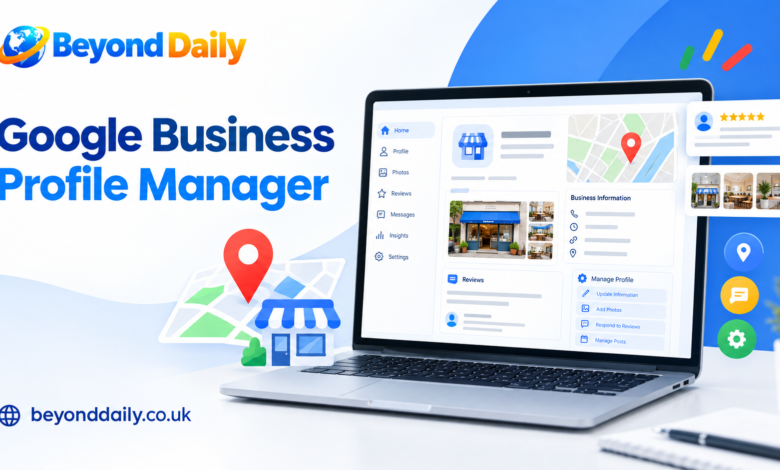
Google Business Profile Manager is a practical way for businesses and organisations to manage their Business Profiles and control who can work on them. It is particularly useful when several people need access, such as business owners, employees, marketers or agencies. Google allows owners to invite additional users rather than requiring businesses to share account passwords, helping make collaborative profile management more controlled.
A Business Profile helps customers discover useful information about a business through Google Search and Google Maps. Depending on the business and available features, management can include updating contact details, opening hours, photos and other information, as well as responding to customer reviews. Google also allows some profile management directly through Search and Maps, so businesses do not always need to work from one central interface.
How to Access Google Business Profile Manager
Getting started is generally straightforward. Sign in using the Google Account associated with the Business Profile you need to manage, then select the relevant business or organisation. If you work with several profiles, the available management options can depend on your account structure and whether profiles are organised within business groups. Agencies can also receive invitations or request access to profiles they have been authorised to manage.
If you cannot find the profile you expect, check that you are using the correct Google Account and that you have actually been granted access. Google recommends using individual accounts for people who manage a profile, rather than sharing passwords. This approach makes it easier to control access when staff, freelancers or agencies join or leave a business.
Google Business Profile Manager Dashboard and Interface
The management interface is designed around practical business administration rather than complicated technical settings. Depending on your account and role, you can work with profile information, users, invitations and business groups. For organisations managing multiple locations, business groups can provide a central structure for handling several profiles and sharing access with relevant colleagues.
For smaller businesses, the interface can be useful for keeping everyday information under control. For larger organisations, the structure becomes more important because different people may need different levels of access. Keeping profiles organised, checking which organisation is selected and reviewing user permissions regularly can help prevent avoidable access problems.
Owners, Managers and Google Business Profile Permissions
Google provides different access levels for Business Profiles. Owners have full control and can add or remove users, manage profile information and delete the profile. Managers have broadly similar day-to-day capabilities, but they cannot add or remove users or remove the profile. A Business Profile can have multiple owners, although only one person can be the primary owner.
These differences matter when deciding who should receive access. A marketing employee who needs to update information or respond to reviews may not need ownership privileges. Giving people only the access they require can reduce unnecessary exposure and make account administration easier. Google also recommends limiting access to essential users and removing former employees when they no longer need access.
How to Add a User or Manager
Adding another person can be useful when a business owner wants support with daily profile tasks. From the Business Profile settings, owners can open People and access, choose the option to invite a new user, enter the person’s email address and select Owner or Manager access. The invited person can then accept the invitation using their own Google Account.
Before sending an invitation, consider what the person actually needs to do. A manager can handle many routine activities without receiving the additional control associated with ownership. Businesses should also keep an eye on pending invitations and current users. When someone leaves the company or no longer works on local marketing, their access should be reviewed and removed where appropriate.
Managing Business Information and Customer Interactions
One of the most useful reasons to maintain a Business Profile is keeping public business information accurate. Businesses can update important details such as opening hours, contact information, website information and photos. Regular checks are especially valuable after moving premises, changing telephone numbers, altering services or introducing seasonal opening times. Accurate information gives customers a clearer picture before they decide to contact or visit a business.
Customer interaction is another important part of profile management. Managers can respond to reviews and handle other available profile activities, while businesses can use the information available through their profile to understand customer interactions. Google also provides performance-related API data for authorised applications, including metrics such as website clicks, calls, bookings and search keyword impressions.
Managing Multiple Locations and Agency Access
Businesses with several locations may need a more structured approach than a single-location company. Google business groups can help organisations manage and share access to collections of Business Profiles. Google describes them as a safer alternative to sharing usernames and passwords, allowing relevant users to work with profiles inside a defined group.
Agencies have additional options when working on behalf of clients. An organisation can be invited to manage specific profiles or business groups, while an authorised agency can also request access. These workflows are useful when a marketing company manages local search activity for multiple clients. However, access should remain clearly controlled, with the business owner retaining appropriate ownership and oversight.
Google Business Profile Manager API and Advanced Management
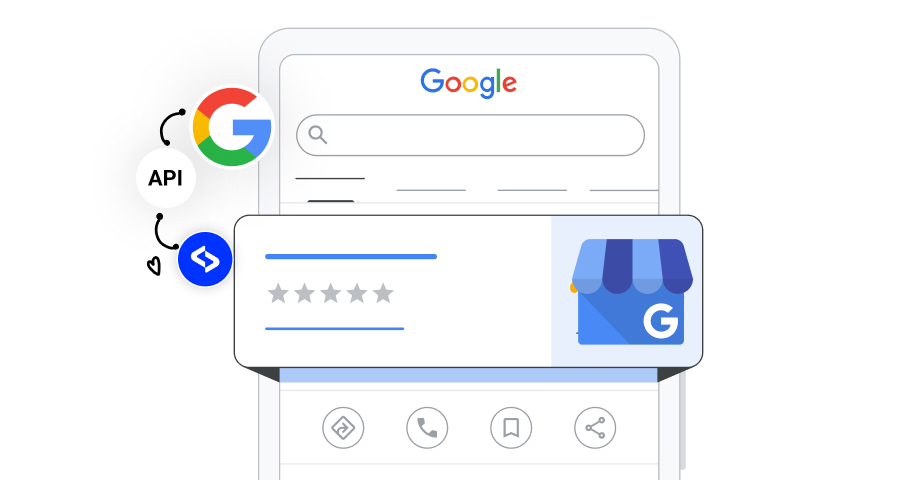
For businesses that need automation or reporting at scale, Google Business Profile Manager APIs provide technical options beyond ordinary manual management. The APIs can support authorised applications that retrieve profile performance information, including daily metrics, website clicks, call clicks, bookings and search keyword impressions. Access requires appropriate authorisation, including the relevant Google business management OAuth scope.
The API is therefore more relevant to developers, larger organisations and software providers than to someone who simply needs to update opening hours. Businesses should avoid adding technical complexity without a clear reason. For ordinary profile administration, Google’s standard management tools are usually the natural starting point, while API-based workflows can be considered when automation, reporting or large-scale operations justify them.
Common Google Business Profile Manager Problems
Access issues are among the most common challenges. A user may sign in with the wrong Google Account, receive an invitation to an address they do not use or discover that their current role does not provide the required permission. Checking the account, reviewing People and access and confirming whether an invitation is still pending can help identify the problem.
Ownership changes require particular care. Google states that only owners can change access roles, while only the primary owner can transfer primary ownership. New owners or managers can also face a seven-day period before they can use certain management features fully. If a business changes hands, transferring primary ownership correctly helps preserve the Business Profile and its associated information.
Best Practices for Secure Profile Management
Good account management starts with controlled access. Give each person their own Google Account, avoid sharing passwords and only invite users who genuinely need to work on the profile. Google specifically advises limiting the number of people with access because owners have significant control over a Business Profile. Former employees and unnecessary third-party access should be removed promptly.
Businesses should also keep ownership arrangements clear when working with agencies or freelancers. Google advises authorised representatives to work directly with the business owner and keep the owner informed about actions taken on the profile. A business should retain appropriate control while granting outside specialists enough access to perform their agreed tasks.
Conclusion
Google Business Profile Manager provides a practical framework for controlling business listings, users and access. Whether you manage one local business or a collection of locations, understanding the difference between owners and managers can make everyday administration more straightforward. Keeping information current, responding to customers and reviewing account access regularly can also help maintain a reliable presence across Google’s business ecosystem.
For businesses working with agencies or technical systems, Google also provides structured options for business groups, organisation access and APIs. The right approach depends on the number of profiles, people involved and level of automation required. Start with the simplest setup that meets your needs, keep ownership clear and review permissions whenever responsibilities change.
Frequently Asked Questions
How do I access Google Business Profile Manager?
Sign in with the Google Account connected to your Business Profile and select the business or organisation you need to manage.
Is Google Business Profile Manager free?
Google Business Profile is a free service for eligible businesses, although separate marketing, advertising or third-party management services may have their own costs.
How do I add a manager to my Business Profile?
An owner can use People and access in the Business Profile settings to invite a user and select Manager access.
What is the difference between an owner and a manager?
Owners have broader control, including managing users and deleting the profile, while managers can handle many daily tasks but have fewer administrative permissions.
Can I manage several Business Profiles in one place?
Yes, business groups can help organisations manage and share access to multiple Business Profiles in a structured way.
Can an agency manage my Business Profile?
Yes, an organisation can be invited to manage profiles or request access where appropriate, using Google’s agency access workflows.
Can I manage my Business Profile from Google Search or Maps?
Yes, Google allows many profile management activities directly through Search and Maps when you are signed in with the appropriate account.
Does Google Business Profile Manager have an API?
Google provides Business Profile APIs that authorised applications can use for supported management and performance-related functions.
Also Read: business development