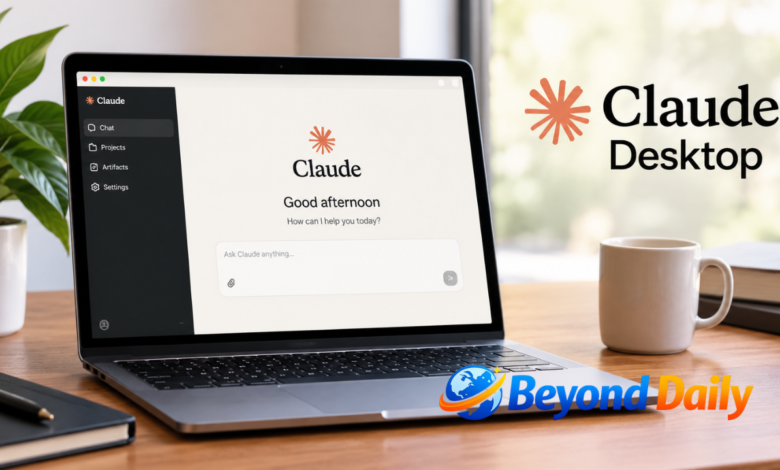
Claude Desktop brings Anthropic’s AI assistant closer to the computer you use every day. Instead of relying solely on a browser tab, the application is designed to work alongside local files, desktop tools and development environments. The official download page currently offers versions for macOS and Windows, including Windows ARM64, while Linux is available in beta.
For anyone searching for a straightforward way to get started, the main attraction is convenience. You can install the application, sign into your Claude account and work from a dedicated desktop environment. Depending on your plan and operating system, additional capabilities can include Claude Code, Cowork, desktop extensions and integrations with tools or local resources.
What Is Claude Desktop?
Claude Desktop is Anthropic’s dedicated computer application for accessing Claude alongside your normal desktop workflow. It provides a more direct way to interact with the assistant, while desktop extensions can give Claude access to local files, applications and other resources. Anthropic describes the desktop app as a way to use Claude with your files and apps rather than simply recreating the browser experience.
The distinction becomes particularly useful when your work involves more than questions and answers. A browser is convenient for general conversations, but a desktop application can fit more naturally into tasks involving local documents, software development or connected tools. The exact capabilities available to you depend on your operating system, account plan and the features currently enabled for that platform.
Claude Desktop Download Options
The safest starting point is Anthropic’s official download page, where the available desktop versions are presented for supported platforms. Current options include macOS, Windows, Windows ARM64 and Linux through its beta offering. Using the official source also helps you avoid unofficial installers or outdated packages that may not provide the current application.
For Mac and Windows users, downloading is designed to be straightforward: select the version for your computer, open the downloaded installer and complete the setup. Linux users have additional considerations because the current release supports Ubuntu and Debian versions with x64 or arm64 hardware. Anthropic recommends using its apt repository on supported Linux systems so updates can arrive through normal package management.
How to Install Claude Desktop
Installing the application on macOS or Windows follows a familiar process. Visit the official download page, choose the relevant operating system and open the downloaded file once it has finished. After installation, launch Claude from your Applications folder on Mac or the Start menu on Windows, then sign in with your Claude account. Anthropic currently lists macOS 11 or later and Windows 10 or later as the basic requirements.
Linux installation is slightly different. Anthropic currently supports Ubuntu 22.04 LTS or later and Debian 12 or later on x64 and arm64 systems. The recommended approach is to install through Anthropic’s apt repository, which allows updates to arrive through the operating system’s normal package update process. A downloadable .deb package is also available when apt installation is not suitable.
Key Features and Desktop Workflows
One of the biggest advantages of the desktop application is the ability to bring Claude closer to the information and tools you already use. Desktop extensions can connect the assistant with local files, calendars, messaging applications and other desktop resources. This can reduce the repetitive process of manually uploading information whenever you want Claude to work with something stored on your computer.
The desktop environment also supports development-oriented workflows. Claude Code can run directly within the application, allowing developers to work with local projects, review changes and interact with development environments through a graphical interface. Anthropic also provides Quick Entry on supported Mac versions, making it possible to access Claude from elsewhere on the computer and provide screenshots, application windows or dictated input.
Claude Desktop MCP and Extensions
MCP, or Model Context Protocol, provides a standard way for AI applications to interact with external tools and data. In the desktop environment, local MCP servers can now be packaged as desktop extensions, making installation and management considerably easier than manually configuring every integration. Anthropic’s current system allows users to browse extensions through Settings > Extensions and install supported packages from there.
This is particularly useful when Claude needs access to something running locally. Desktop extensions can provide connections to local files, databases, desktop applications or other resources that a cloud-based connector cannot directly reach. Remote MCP connectors are different: they are accessed through Anthropic’s cloud infrastructure. Understanding that distinction is important when deciding whether a local extension or remote connector is appropriate for a particular workflow.
Claude Desktop for Mac, Windows and Linux
Mac and Windows remain the principal desktop platforms, while Linux is currently supported in beta. Anthropic lists Ubuntu 22.04 LTS or newer and Debian 12 or newer for Linux, with both x64 and arm64 hardware supported. Linux users should also be aware that some capabilities are not yet available there, including computer use and dictation in the current release.
Windows users have additional hardware flexibility because Anthropic provides a Windows ARM64 version alongside its standard Windows download. For organisations, the desktop application also has enterprise deployment options, including managed installation and configuration. That makes the application relevant not only to individual users but also to teams that need centralised controls around updates, extensions and access.
Claude Desktop vs Claude Code
Claude Code is focused specifically on software development, whereas the broader desktop application provides a place to access Claude and its different capabilities from a graphical interface. Importantly, Claude Desktop these are not necessarily competing products. Claude Code can run directly inside the desktop application, giving developers a visual environment for working with local code and reviewing changes without relying exclusively on a terminal.
For developers, that distinction can make the choice easier. Someone who mainly wants conversational assistance, document analysis or everyday AI support may use the standard desktop experience. A developer working inside a repository may benefit from the coding environment, while users handling broader multi-step knowledge tasks may encounter Cowork capabilities where their plan and platform support them.
Is Claude Desktop Free?
The desktop application itself is available across Claude’s Free, Pro, Max, Team and Enterprise plans. However, availability of individual features is not identical across those plans. Anthropic’s current documentation states that Chat is available on all listed plans, while Claude Code and Claude Cowork are available on paid plans such as Pro, Max, Team and Enterprise.
That means downloading the application does not automatically mean every advanced feature is included. If you only need standard conversations, the free plan can provide a useful starting point. If your workflow depends on coding, agentic work or other advanced capabilities, check the current feature availability for your plan before choosing a subscription specifically for those functions.
How to Get More From Claude Desktop
The most useful approach is to begin with a clear workflow rather than immediately connecting every available tool. For example, a writer might connect approved resources for research and documents, while a developer could focus on local project folders and coding tools. Giving Claude access only to the information and applications genuinely required for a task can also make permissions easier to understand and manage.
Security deserves attention when extensions and connectors are involved. Anthropic notes that connecting a service gives Claude permission to access or potentially modify information according to the permissions granted to your account. For local MCP extensions, sensitive configuration such as API keys can be protected using operating-system secure storage. Only install extensions and connect services that you trust and actually need.
Conclusion
Claude Desktop is designed to make Claude a more natural part of a computer-based workflow. Official downloads now cover macOS and Windows, including Windows ARM64, while Linux is available in beta. The application can also extend beyond ordinary conversations through local files, desktop extensions, MCP integrations and development capabilities such as Claude Code.
For new users, the simplest route is to download the application from Anthropic, install the version that matches the computer, sign in and explore the features included with the current plan. From there, extensions and integrations can be added gradually as your needs become clearer, making the desktop environment more useful without unnecessarily complicating your setup.
Frequently Asked Questions
Is Claude Desktop free?
Yes, the desktop app is available on Free and paid Claude plans, although some advanced features require a paid plan.
Can I download Claude Desktop on Windows?
Yes, Anthropic provides Windows downloads, including a Windows ARM64 version.
Is Claude Desktop available for Mac?
Yes, the application is available for macOS, with Anthropic currently listing macOS 11 or later as the basic requirement.
Can I use Claude Desktop on Linux?
Yes, Linux support is currently in beta for Ubuntu and Debian on x64 and arm64 systems.
Does Claude Desktop support MCP?
Yes, local MCP servers can be installed and managed through desktop extensions, while remote MCP connectors provide another integration option.
What is the difference between Claude Desktop and Claude Code?
Claude Code is designed for software development, while the desktop app provides a broader graphical environment that can also run Claude Code.
Does Claude Desktop work with local files?
Yes, desktop extensions can give Claude access to selected local files and other resources on your computer.
Where should I download Claude Desktop?
Use Anthropic’s official Claude download page to select the appropriate version for your operating system.
Also Read: iphone 18 colors