HSBC Business Online Banking, referred to by HSBC UK as Business Internet Banking, gives business customers a way to manage their accounts online. The service allows users to view balances, check transactions, access statements, transfer money between HSBC business accounts and make various business payments. HSBC also provides additional services for managing users, payment limits and account information online.
For UK businesses, the service is designed to make everyday banking more convenient without requiring every task to be handled in a branch. HSBC says customers can manage banking online wherever they are, while its mobile app extends access to business accounts when customers are on the move. The exact features available can depend on the user’s account, permissions and registration status.
HSBC Business Online Banking Login
To access HSBC Business Online Banking, users normally start from HSBC UK’s Business Banking website and select the log-on option. HSBC’s online help explains that Business Internet Banking users can log on using their username, password and security code. The security process is designed to provide an additional layer of protection when accessing business banking information and carrying out transactions.
If you are having difficulty logging in, it is important to identify whether the problem relates to your username, password, security device or another part of the authentication process. HSBC provides password-reset guidance and explains that some locked passwords can be reset through the HSBC UK Business Banking mobile app, subject to the available options for the user.
How to Register for HSBC Business Online Banking
Businesses that have not yet registered can apply for Business Internet Banking through HSBC UK’s online registration process. HSBC’s Help Centre directs customers to select the registration option and complete the relevant online form. The bank also provides a telephone route for customers who require an application pack or need assistance with the registration process.
Registration is an important first step because the mobile banking experience is connected to Business Internet Banking. HSBC explains that customers need to be registered for Business Internet Banking before using the HSBC UK Business Banking app. Once registration has been completed, the customer can proceed with activation and set-up using the information supplied by HSBC.
HSBC Business Online Banking Activation
Activation is the stage where a newly registered user gets access ready for use. HSBC states that customers may need their Business Internet Banking ID, registration number and activation code, together with the HSBC UK Business Banking app. The bank’s current activation guidance explains that these details vary depending on whether someone is a primary or secondary user.
The HSBC UK Business Banking app can be used to activate Business Internet Banking and set up the digital security functionality. HSBC’s guidance explains that customers should download the app and select the option to activate a new user, then follow the instructions displayed on screen. Keeping the required registration information available can make this process considerably more straightforward.
HSBC Business Online Banking App
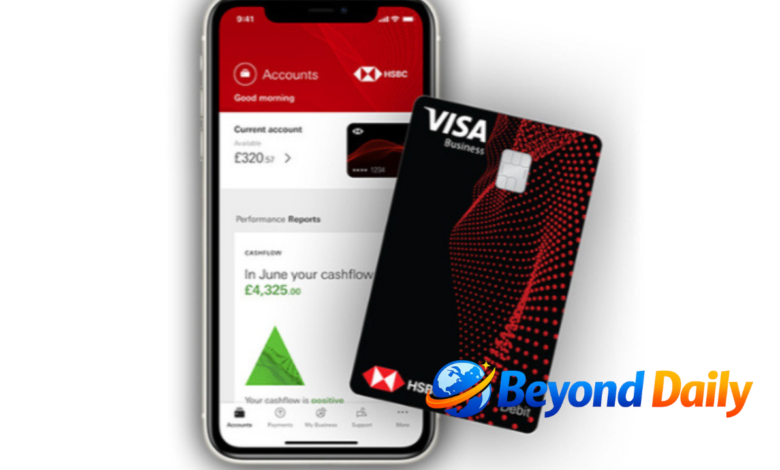
The HSBC UK Business Banking app provides mobile access to a range of business banking functions. HSBC says registered users can view account balances, check recent transactions, transfer money between accounts, pay beneficiaries and manage certain standing orders and Direct Debits. The app can therefore complement desktop Business Internet Banking when business owners need access while away from their computer.
The app also works with HSBC’s digital security arrangements. HSBC explains that users can use the app for secure log-on and payment authorisation, while the app can provide a Digital Security Device for generating security codes. This can reduce reliance on a separate physical security device, although the exact access method can depend on the customer’s circumstances.
What You Can Do With HSBC Business Online Banking
HSBC Business Internet Banking offers a broad range of everyday banking functions. Customers can view balances, transactions and statements, transfer money between HSBC business accounts, make Faster Payments, manage standing orders and view or cancel Direct Debits. HSBC also lists additional capabilities including BACS and international or CHAPS payments, alongside certain card and account-management services.
The service can also help businesses manage access for different users. HSBC explains that user administration can be used to amend permissions and payment limits for secondary users, while primary users can manage certain daily payment limits online. This can be particularly relevant for businesses where more than one person needs access to financial information or payment functions.
HSBC Business Online Banking Problems and Support

When HSBC Business Online Banking is not working as expected, the first step is to identify the specific problem. A forgotten username, locked password, security-device issue or app problem can require different solutions. HSBC provides a dedicated Business Internet Banking Help Centre covering activation, security devices, mobile banking, online safety, system requirements and common usage questions.
For direct assistance, HSBC’s current Business Internet Banking Help Centre lists 03457 60 60 60 for UK callers. Its stated opening hours are Monday to Friday from 8am to 8pm and Saturday from 8am to 2pm, although HSBC notes that hours can change during certain periods. Customers calling from outside the UK can use +44 1226 260 878.
HSBC Business Online Banking Security
Security is particularly important when using online business banking because the account can provide access to payments, financial information and other sensitive business services. HSBC advises customers to take reasonable precautions with their security details and provides dedicated guidance covering online safety, fraud and security devices. Users should avoid sharing passwords or security information with anyone claiming to need them unexpectedly.
HSBC’s Chat Assistant can also provide help through its website, Business Internet Banking and mobile app. The bank states that staff will not ask customers to reveal passwords or full account information. When discussing account-specific information, HSBC recommends using the secure logged-in environment or the app’s support functionality.
HSBC Business Online Banking for UK Businesses
For UK businesses, HSBC Business Internet Banking brings together many routine banking activities in one online service. From checking recent transactions and downloading statements to making payments and managing users, the platform can reduce the need to handle everyday tasks through other channels. The associated mobile app adds another way to access selected banking functions while travelling or working away from the office.
The most useful approach is to choose the right HSBC channel for the task. Desktop Business Internet Banking provides the wider online service, while the mobile app focuses on convenient access and selected mobile functions. If registration, activation or login becomes difficult, HSBC’s Help Centre and business support channels provide routes for resolving the issue.
Conclusion
HSBC Business Online Banking provides UK business customers with online access to essential banking functions, including balances, transactions, statements, transfers and payments. Getting started generally involves registration, activation and setting up the relevant security arrangements, while the HSBC UK Business Banking app provides additional mobile functionality.
For login difficulties or other problems, HSBC offers online help, Chat Assistant support and a dedicated Business Internet Banking helpdesk. Because contact details and opening hours can change, customers should check HSBC UK’s current support pages when they need assistance with their account.
Frequently Asked Questions
How do I log in to HSBC Business Online Banking?
Go to HSBC UK’s Business Banking website and use your username, password and required security code to log in.
How do I register for HSBC Business Online Banking?
HSBC provides an online registration form for Business Internet Banking through its Help Centre.
How do I activate HSBC Business Online Banking?
You generally need your Business Internet Banking ID, registration number and activation code, then follow the activation process in the HSBC UK Business Banking app.
Can I use the HSBC Business Banking app?
Yes, but HSBC states that you need to be registered for Business Internet Banking before using the app.
What is the HSBC Business Internet Banking contact number?
HSBC currently lists 03457 60 60 60 for UK Business Internet Banking queries.
What should I do if my HSBC business banking password is locked?
HSBC provides online password-reset options, including certain reset options through the Business Banking mobile app.
Can I make payments through HSBC Business Internet Banking?
Yes, HSBC lists Faster Payments, BACS and international or CHAPS payments among its available online banking functions.
Is HSBC Business Internet Banking available on mobile?
Yes, HSBC provides the HSBC UK Business Banking app for registered Business Internet Banking users.
Also Read: business jobs